Frequently Asked Questions
What is streamr.ai?
streamr.ai is an AI-powered platform that creates high-quality video ads and launches them on premium Streaming TV apps—like Netflix, Samsung TV Plus, Hulu, and thousands more—in under 2 minutes.
For Ad Platforms, Broadcasters, and Agencies, we also offer GenAI Solutions that help your advertisers launch on Streaming even if they don't have big production budgets. Let us handle the creative lift—reach out at hello@streamr.ai to learn more.
Where Will My Ad Run?
streamr connects your brand to the biggest names in Streaming—your ads can appear across channels and apps like MAX, ESPN, Hulu, and thousands more through our premium programmatic inventory.

How Does Targeting Work?
Our platform enables highly granular targeting so your ads reach the right audience at the right time:
Geo
Target users by Country, State, Zip Code, or City.
Genre
Serve ads in content categories like News, Sports, Entertainment, Lifestyle, Food, and more.
Channel
Choose specific streaming destinations such as Netflix, MAX, Samsung TV Plus, Hulu, ESPN, and thousands of others.
Audience
Layer in audience segments like Motorcycle Enthusiasts, Car Shoppers, E-Commerce Buyers, etc., to capture intent-driven viewers.
How Much Does Advertising Cost?
No hidden fees
streamr charges zero platform, subscription, user-seat, or setup fees.
Budget transparency
The amount you allocate per campaign is exactly what you'll be billed.
Starting point
Campaigns require a $250 minimum budget, enabling us to run your ad across premium Streaming TV content.
Scalable spending
Once your campaign is live, you can increase your budget anytime based on performance.
What Are Credits?
Credits are used to animate your images, turning them into dynamic videos using the latest AI models. Each image-to-video conversion costs 1 credit.
Simply upload your product images or brand visuals, and our AI will transform them into engaging video content—perfect for creating professional ads without the need for video production equipment or expertise.
What is the Campaign Approval Process?
Once you click "Launch My Commercial," your campaign goes through a quick review by streamr's approval team to ensure everything is set up for success.
We review:
Creative
Uploaded ads must meet technical specs and comply with brand safety guidelines.
Campaign Setup
We double-check your targeting and budget to help maximize ROAS.
What Content is Not Allowed?
To keep Streaming TV safe and professional, streamr prohibits campaigns that include:
How Does Campaign Reporting Work?
You'll receive a performance report via email once your campaign is live.
Your report includes:
Top Streaming Apps
e.g., Hulu, Samsung TV Plus
Top Channels
e.g., ESPN, Food Network
Geo-Location
Country, State, City, ZIP
Campaign Dates
Start & End times
Ad Views
Households Reached
Total Spend
Use these insights to measure success and guide your next campaign.
How Does AI Video Editing Work?
It's simple—just click or tap the edit button to edit your script, visuals, or calls to action with AI. No editing experience required. You now have full control over changing your advertisement's script, frames, music, voice overlays, and QR Code!

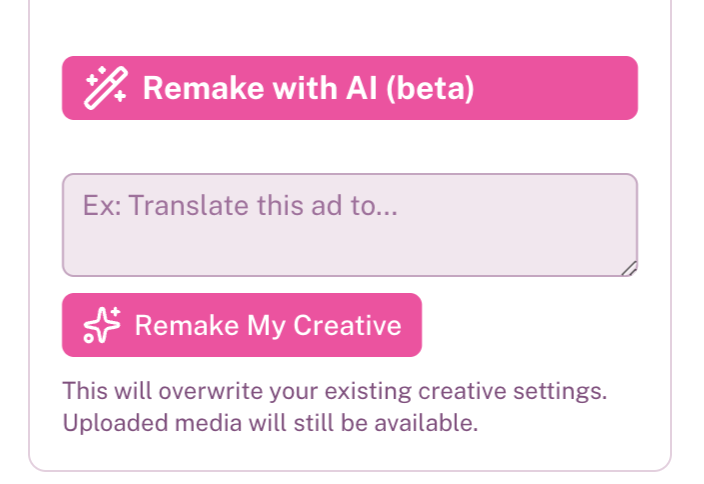
You can also prompt your AI Agent using natural language to make smart edits—no video skills required. Just type what you want in the "Edit with AI" chat box.
For example, you can say:
"Translate this ad into Spanish"
"Make this about bikes instead of camping gear"
"Change the mood to feel more upbeat and energetic"
The AI will instantly update your commercial based on your request—fast, flexible, and creative on command.
What file types and sizes can I upload?
Supported Video Files
You can upload your own videos to use in your ads.
Format: MP4 only
Resolution: 1920×1080 or 1280×720
Max File Size: 100MB
Duration: 15 or 30 seconds
Note: Larger files may impact rendering speed.
Supported Image Files
Want to create a video from a static image? No problem.
Formats: JPG or PNG
Resolution: 1920×1080 or 1280×720
Max File Size: 10MB
Conversion Cost: 1 credits
Tip: PNGs with transparent backgrounds look better in most templates.
Supported Logo Files
Logos are used to brand your video — make sure they look crisp.
Format: PNG or SVG (JPG not recommended)
Recommended Size: ~330×240 pixels
Max File Size: 10MB
Background: Transparent recommended
Need Help?
We've got you. Email us anytime at hello@streamr.ai